 Enlyzr
MyDisweight
Fasting, food, sleep and heart rate in one private diary
MyDisweight is a private health diary for people who fast regularly and want to see how fasting, food, sleep and heart rate fit together. Your records stay on your phone: there is no account, no cloud service and no ads. A built-in health guide of more than thirty articles explains fasting, nutrition, sleep, movement and how to read your own numbers.
For Android 13 and newer. Free, with no ads and nothing to buy.
- 36 / 60hour fasts on a live timer, with their metabolic phases
- 10lights for the day: energy, nutrients, vegetables and water
- 8views of the calendar, from the month to sleep and activity
- 2Polar sensors supported: the H10 chest strap and the Loop wrist band
What is in the app
Fasts on a live timer
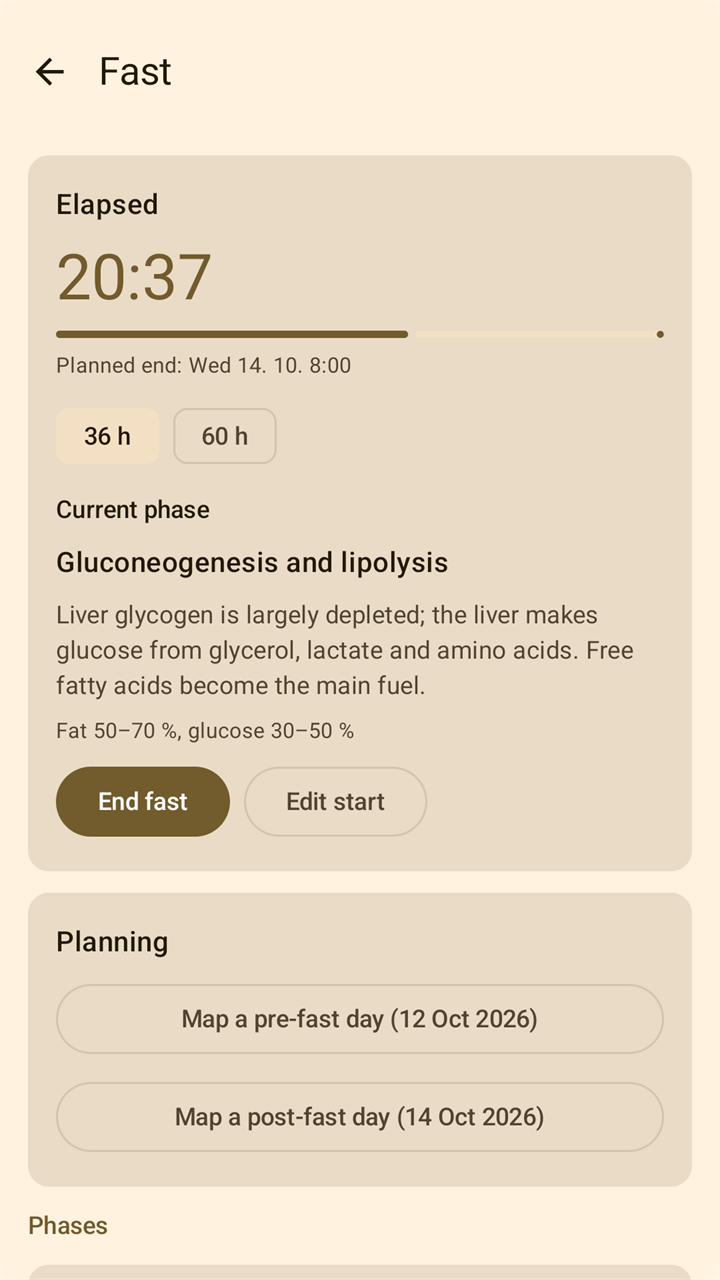
Start a 36-hour or 60-hour fast and follow it on a live timer, with the planned end and a description of the metabolic phase you are in. Notifications at about 24 hours and at the planned end are optional, a home-screen widget shows the running fast, and completed fasts are listed and charted.
Plan a day, then tick it off
Map a reference day onto a date, or build a day meal by meal from your own foods, reference dishes and the NutriDatabaze catalogue. Tick off what you ate: eaten, planned and recommended totals stand side by side. There are ready-made menus for the days around a fast, and a shopping list for the next seven days.
Ten lights for the day
Home shows a dot each for energy, protein, fat, carbs, saturated fat, sugars, fibre, salt, vegetables and water, with its percentage of the day's recommendation. Where the food data has no figure, the app shows a dash, not a zero.
Scan a label or a barcode
Photograph the nutrition table on a package and the values are read on the phone. Or scan the barcode, and the product is looked up online in the Open Food Facts database. Every field stays editable afterwards.
Eight views of the calendar
The month, a bar per day for energy and its split into fat, carbs and protein, the weeks with their fasts, the ten lights over time, cold showers, sleep, condition and activity. A tap on a week number gives that week's statistics.
Weight, measurements and goals
Weekly weight and tape measurements with charts, and from them BMI, waist ratios, basal metabolic rate and daily energy needs. Choose a goal and a pace and the daily targets follow. The app also estimates what you actually burn from your own weigh-ins and logged intake.
Heart rate and ECG from a chest strap
Connect a Polar H10 for live heart rate, ECG and motion, and record sessions that go on with the screen off. A session keeps the beat intervals as the strap sent them, with your markers and 30-second ECG strips, and can be compared with two others.
Nights and days from a wrist band
With a Polar Loop the app shows last night's sleep with its stages and sets pulse, HRV, breathing and skin temperature beside your own usual range of the last four weeks. Calendar views stack nights and days for comparison.
Kept on your phone
All records are stored on your device; there is no account and no server. The app itself goes online for one thing only, the product lookup when you scan a barcode. Export everything to one file, import it back, and let the app keep a weekly backup in your Documents folder.
A look at the app
A fast on the live timer, with the phase you are in 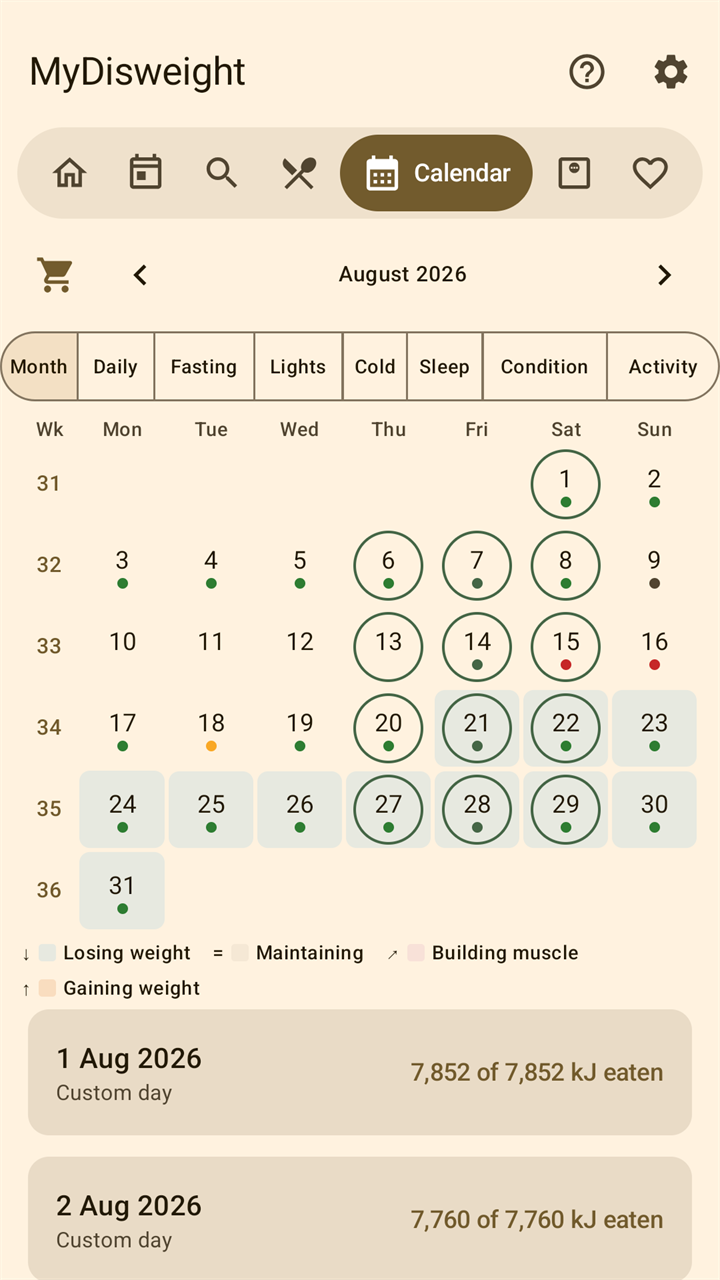
One calendar, eight views 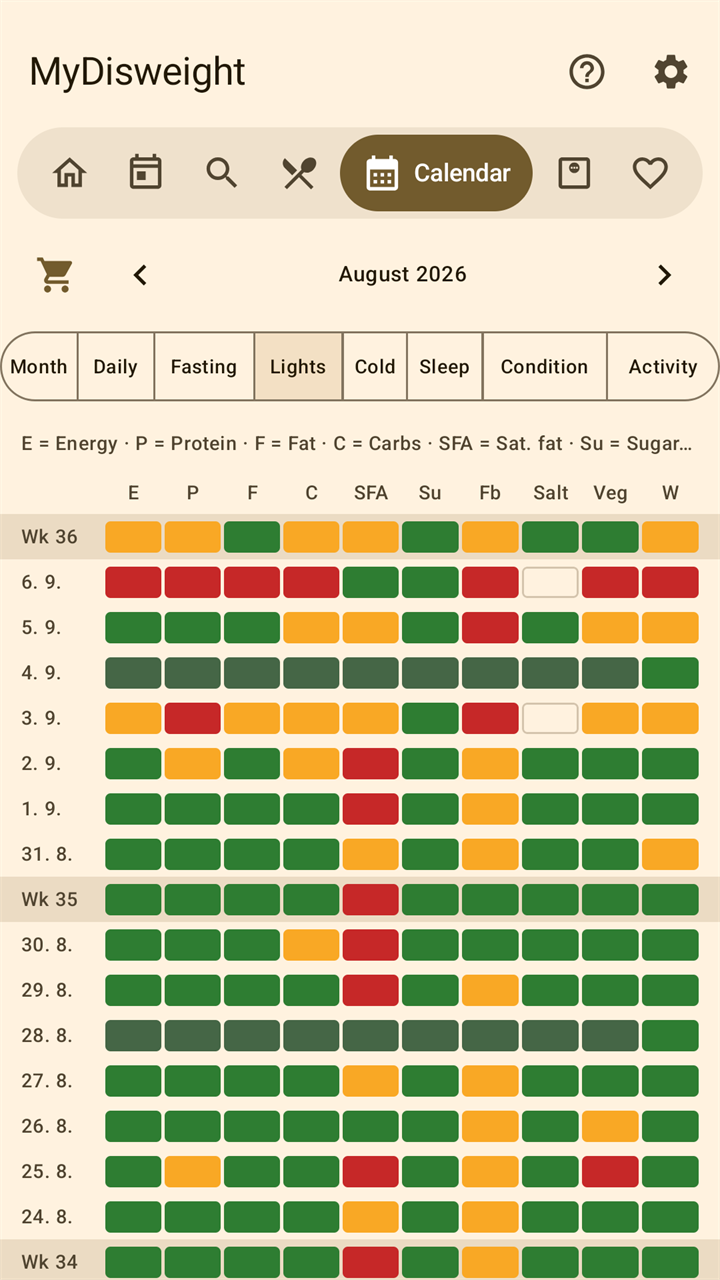
Ten lights for every day, week by week 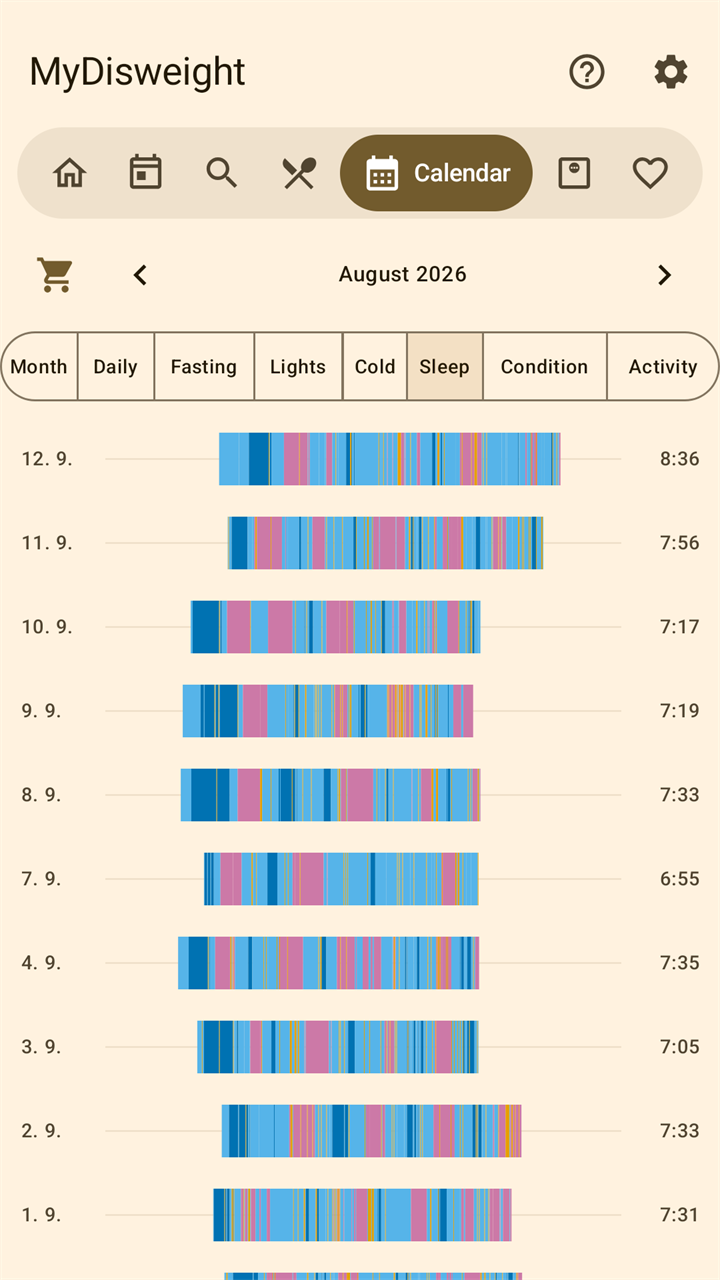
Nights side by side, from a Polar Loop band 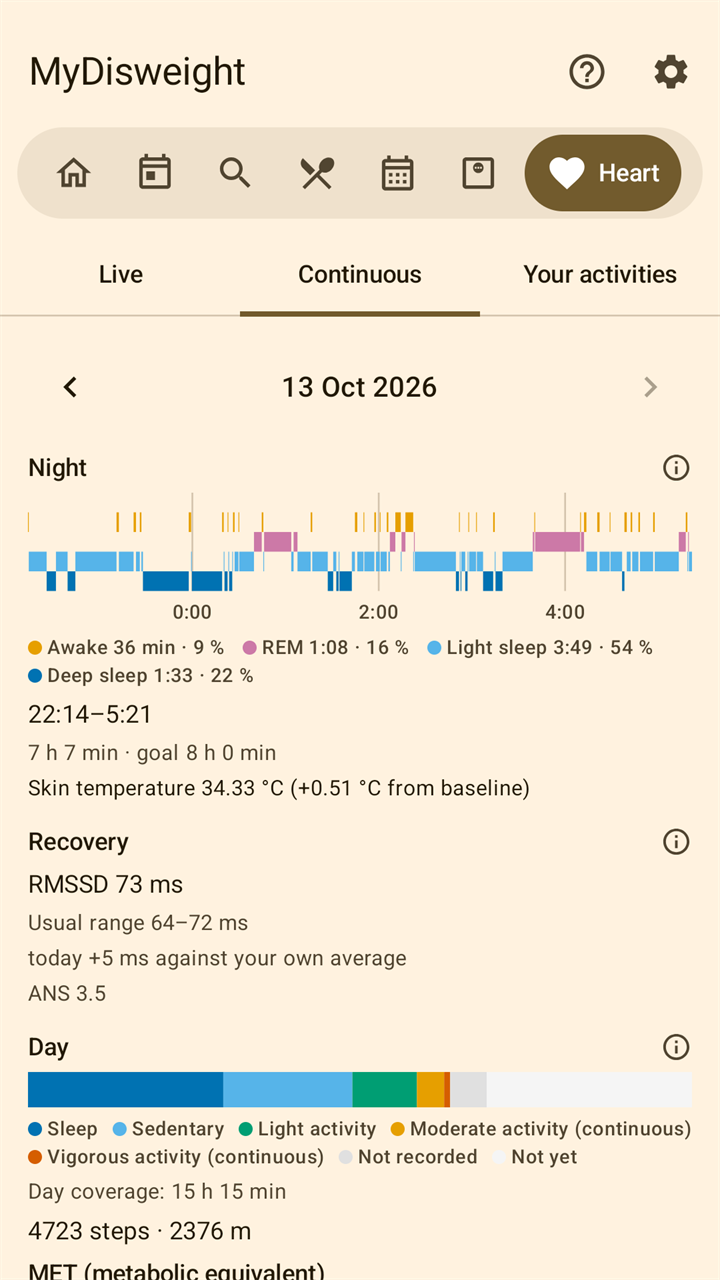
A night and a day, each beside your own usual range
Good to know
- The app is in English and Czech. The built-in food catalogue (NutriDatabaze.cz) and the reference meal plans use Czech food names, and the six meal names are shown in Czech. Foods you add yourself can be in any language.
- Energy is shown in kilojoules.
- MyDisweight describes what happened. It gives no scores, no streaks and no unsolicited notifications.
- The heart and sleep parts need a Polar H10 chest strap or a Polar Loop wrist band. Everything else works without a sensor.
MyDisweight is not a medical device. It does not diagnose, treat, cure or prevent any disease, and nothing in it is medical advice. Talk to your doctor before fasting, especially if you are pregnant, have diabetes or another medical condition, or take medication.
Polar is a trademark of Polar Electro Oy. MyDisweight is an independent app and is not affiliated with or endorsed by Polar.
Questions and answers
Is MyDisweight a medical app?
No. MyDisweight is not a medical device. It does not diagnose, treat, cure or prevent any disease, and nothing in it is medical advice. Talk to your doctor before fasting, especially if you are pregnant, have diabetes or another medical condition, or take medication.
Who is it for?
For adults who fast regularly and want to see how fasting, food, sleep and heart rate fit together. It is not meant for children.
Do I need a Polar sensor?
No. Only the heart and sleep parts need one: the Polar H10 chest strap for live heart rate and ECG, or the Polar Loop wrist band for sleep, night pulse, HRV, breathing rate and skin temperature. Both can take part in the same session. Everything else in the app works without a sensor.
Which languages does the app speak?
English and Czech, following the language set for the app in Android. The built-in food catalogue (NutriDatabaze.cz) and the reference meal plans use Czech food names, and the six meal names are shown in Czech in both languages. Foods you add yourself can be in any language. Energy is shown in kilojoules.
Does it need an internet connection?
No. The app itself goes online for one thing only: looking up a product in the Open Food Facts database at the moment you scan its barcode. The barcode and label scanners are Google's ML Kit, which reads the picture on the phone and sends Google its own diagnostics. Your records are part of neither.
Where is my data, and what is in a backup?
The records are in the app's own storage on your phone. Export data in Settings writes all of them into one file where you choose: days, check-offs, measurements, foods, fasts, heart sessions with ECG strips and markers, and learned tracks. Once a week the app writes such a file into the folder Documents/MyDisweight and removes its own automatic files after 60 days. If Android backup is turned on, the app's data is part of it. The privacy policy has the details.
Does the app judge my health?
No. It describes what happened. There is no readiness or recovery score, no streak and no adherence percentage, and it sends no notifications except for what you started yourself. Body figures such as BMI and the waist ratios are shown with the WHO classes that belong to them. One card, Condition, compares last night's wrist-band readings with your own usual range and adds a suggestion for the day; nothing checks whether you follow it.
Does the app set a diet for me?
It ships with reference days that you can map onto any date, and you can build days of your own. Choosing a goal is optional: losing weight, maintaining, building muscle or gaining weight, with a pace. From the goal, your profile and your weigh-ins the app derives a daily energy target, names the estimate it came from, and says when one of its limits applies. Without a goal it uses the reference plan's own figures.
What does it cost?
Nothing. MyDisweight is free. There is nothing to buy in the app, no subscription and no advertisements.
Coming to Google Play
MyDisweight is not listed on Google Play yet. This page will carry the link as soon as it is.
Questions or feedback: enlyzr@gmail.com