 Enlyzr
SoundActivity
An audio laboratory in your pocket
SoundActivity listens through the microphone and measures what it hears, plays tones, sweeps and noise, and analyses audio files you already have. Tools are sorted into Live, Generate and Offline modes, with guided workflows, calibration for a USB or phone microphone, and reports you can export.
For Android 9 and newer.
- 87tools in Live mode
- 41tools in Generate mode
- 34tools in Offline mode
- 16guided workflows
What is in the app
Live measurement
Level, spectrum, pitch, loudness, noise and distortion of the sound around you as it happens, with a badge that says how far the reading can be trusted.
Signals that measure the answer
Generate plays tones, sweeps and noise. Many tools play a signal and measure the answer at once, which tests a room, a loudspeaker or your own hearing.
Audio files, analysed and edited
Open a recording and look at it, compare two files, clean it up with de-hum, de-noise and de-click, trim and normalise it, or process many files in a batch.
Calibration
Enter an offset, follow the Calibration Wizard, or import a microphone's calibration file. USB microphones and audio interfaces can be chosen as input.
Guided workflows
Sixteen step-by-step jobs, from room acoustics to environmental noise, show only the tools a job needs and end with a summary. You can write your own.
Records, notes and reports
Record, log levels, add notes, photos and voice memos, and export PDF reports, CSV tables and audio files with a checksum.
A second device as microphone
Use another phone, or a Raspberry Pi, on your network as a node that lends its microphone. Nodes are optional and the connection is not encrypted in this version.
Coach
An optional helper explains a result in plain language with a language model that runs on your device. The model file is downloaded once, over Wi-Fi by default.
Four languages, 14 profiles
English, Czech, German and French, light or dark. A profile puts the tools of one kind of work first, and the Help has about 300 entries.
A look at the app
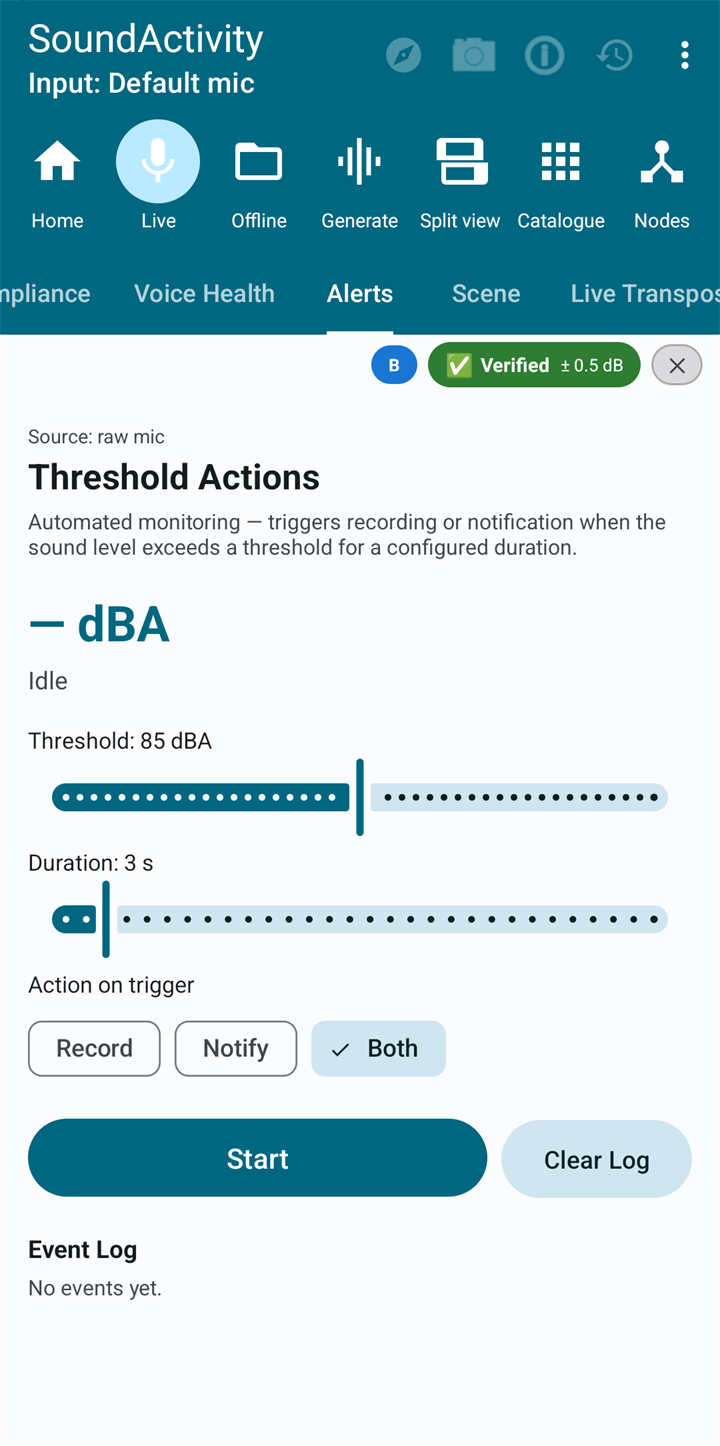
Alerts watches the level and records, notifies, or both
Questions and answers
Is SoundActivity a certified sound level meter?
No. A phone microphone is not a measuring instrument, and even calibrated the app's results are for information. Where the law asks for a certified measurement, they do not replace one.
How do I get real sound levels?
Calibrate. Enter the difference to a meter you trust, use the Calibration Wizard with a reference source, or import a calibration file for a measurement microphone. Without it, levels are relative to the loudest sound the device can record.
Does it need the internet?
The measuring tools work on the phone. The network is used only to download a Coach model and to find and talk to nodes on your local network. Nothing is sent to Enlyzr except the model download from enlyzr.info.
Are the hearing and voice tools a medical test?
No. They run on an ordinary phone with ordinary headphones, so take them as a first look. If a result worries you, see a doctor or an audiologist.
Does it record all the time?
No. Sound is analysed in memory and written to storage only by the functions that record, such as the Recorder, Rolling Buffer, Alerts set to record, and session recording, and only when you use them.
Is a node connection safe?
Nodes are optional. The connection between controller and node is not encrypted in this version, so use nodes on a network you trust and switch Node Mode off when you are done.
What does it cost?
Nothing. SoundActivity is free. There is nothing to buy in the app, no subscription and no advertisements.
Coming to Google Play
SoundActivity is not listed on Google Play yet. This page will carry the link as soon as it is.
Questions or feedback: enlyzr@gmail.com